 CasinoIQ
How to Track Gambling Losses for Taxes
Here's the part of gambling nobody tells you at the table: all of your winnings are taxable income — even the ones that never triggered a W-2G. The good news is the IRS lets you deduct your losses against those winnings. The catch is that you can only do it if you can prove them, and most players can't.
This guide covers exactly what the IRS requires, the mistakes that get deductions thrown out, and how to make the whole thing automatic.
What the IRS actually requires
Per IRS Topic 419, to deduct gambling losses you must:
- Itemize deductions on Schedule A (you can't take losses with the standard deduction).
- Deduct no more than you won. Losses only offset gambling winnings — they can't create a net loss on your return. (And starting with tax year 2026, the deduction is further capped at 90% of your losses — see the new rule.)
- Keep "an accurate diary or similar record" of your winnings and losses, plus supporting documents like tickets, statements, and receipts.
That third requirement is where players lose. The IRS expects a contemporaneous record — a log kept as you play, not one reconstructed in March from memory and bank statements. For each session, your diary should show:
| Field | Example |
|---|---|
| Date | Sat, Mar 1, 2026 |
| Type of gambling | Blackjack |
| Name & location of establishment | Gila River Resorts & Casinos, Chandler AZ |
| Amount won or lost | −$160 (buy-in $500, cash-out $340) |
Why "session" tracking is the right unit
You don't need to record every hand or spin. The accepted practice is to net your results per gambling session — one continuous period of play at one place. Sat down at a blackjack table with $500 and left with $340? That's one session, one entry, −$160. This is exactly the granularity a good gambling tracker enforces.
The records that support your log
- W-2G forms (issued on big wins — slots $1,200+, poker tournaments $5,000+ net)
- Casino win/loss statements from your players card (useful, but not sufficient by themselves)
- ATM receipts, markers, and bank records from casino trips
- Tickets, payout slips, and photos
Think of it as layers: the diary is the backbone, and everything else corroborates it.
How to track it automatically with CasinoIQ
CasinoIQ was built around the IRS's session model, so keeping a compliant log takes about ten seconds per session:
- Log each session as you play. Tap +, enter your buy-in and cash-out, and pick the game. CasinoIQ stamps the date, time, duration, and casino location — every field the IRS wants, captured contemporaneously.
- Add context in notes. Table limits, machine numbers, who you were with — extra detail only strengthens the record.
- Generate your year-end tax report. At tax time, open the Tax Report screen, pick the year, and tap Create Tax Report. You get a clean summary of every session — dates, locations, games, and win/loss amounts — ready for your accountant.
- Export the raw data. Need it in a spreadsheet? Export your full history to CSV or JSON anytime.
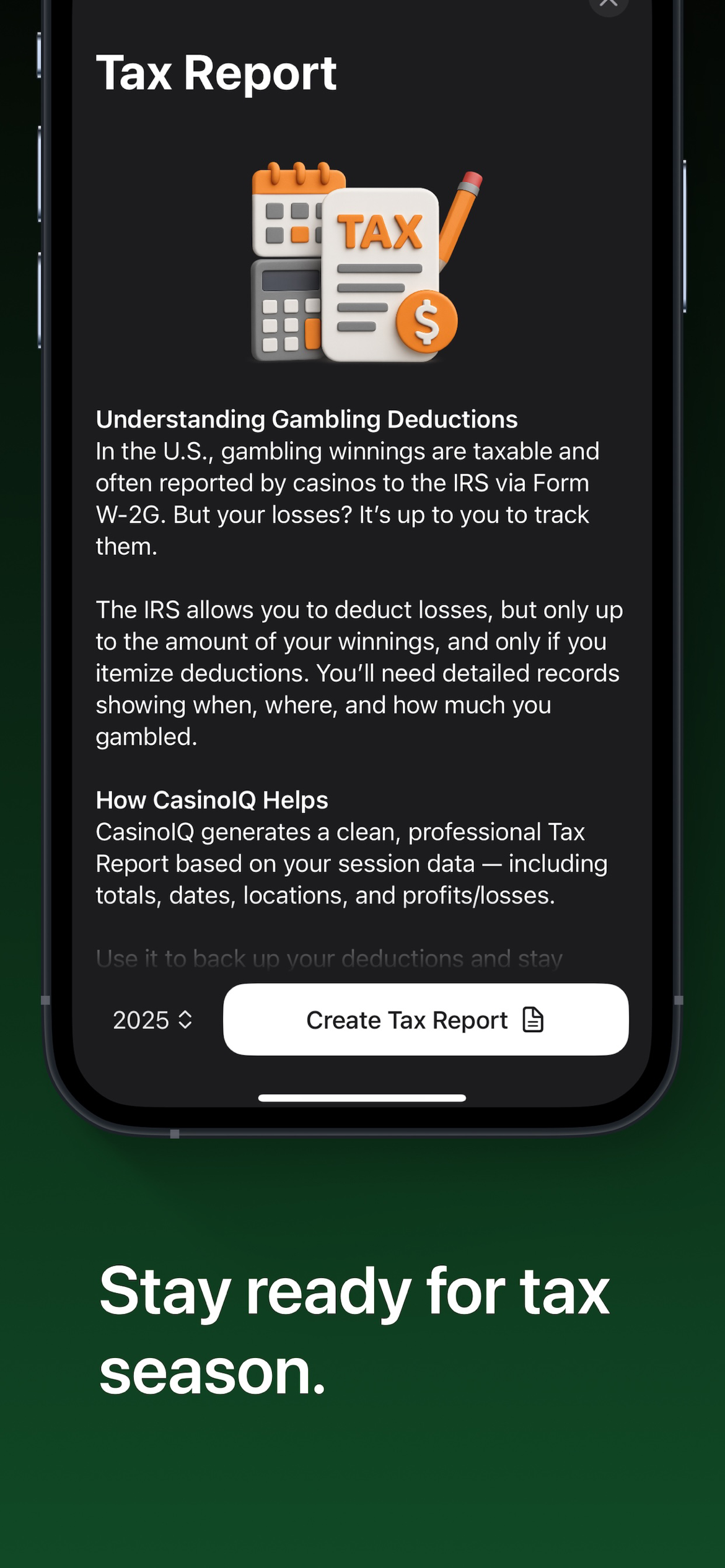
Because every entry is dated the moment you make it, your CasinoIQ history is the "accurate diary" the IRS describes — not a reconstruction.
Never lose a deduction to bad records again
Free on the App Store · 4.8★ · Log a session in seconds
This article is educational and not tax advice. Consult a qualified tax professional about your situation.